CodeFusion Studio™

CodeFusion Studio™

The multi award winning CodeFusion Studio (CFS) is an embedded software development platform accelerating the development of AI-enabled embedded systems.
Top


Overview
Features and Benefits
AI Debug Assistant for Multicore
- AI-powered debug assistant with agentic workflows for natural-language hardware inspection, fault diagnosis, and root cause analysis
- Compatible with GitHub Copilot, Claude Code, and any MCP-compatible AI client
- Autonomous investigation of crashes, memory corruption, and peripheral misconfiguration through 10 pre-built diagnostic prompts
- Inspect registers, memory, variables, and stack traces - with dedicated ARM Cortex-M and RISC-V fault decoding
- Set breakpoints, conditional breakpoints, and hardware watchpoints via natural language
- Execute raw GDB commands with built-in safety guards against destructive operations
- Search workspace source code and analyze embedded C/C++ for common bug patterns
Embedded AI Workflow Integration
- Bring your own model via GUI or CLI for rapid integration
- Automatically verify model compatibility with ADI processors and microcontrollers
- Profile runtime performance using Zephyr-based tools for latency and power
- Generate optimized inference-ready code directly within the IDE
- Supports deployment across low-power MCUs and high-performance DSPs
System-Level Orchestration
- Allocate memory and peripherals visually across multiple cores and devices
- Use JSON-based configuration for reproducible and version-controlled workflows
- Central dashboard simplifies system-wide resource planning and debugging
- Supports heterogeneous SoCs with ARM® TrustZone® partitioning
- Reduces manual setup errors and accelerates bring-up
- Graphical resource allocation for pins, clocks, power modes, and middleware
How It Works
Embedded developers know the pain of fragmented toolchains, manual configuration, and debugging that feels more like detective work. CodeFusion Studio 2.0 was designed to change that. Built on Visual Studio Code and deeply integrated with ADI’s hardware ecosystem, it offers a unified experience from system planning to AI deployment.
With support for multi-core orchestration, Zephyr RTOS, and AI end-to-end workflows, CodeFusion Studio helps you move faster, debug smarter, and build confidently.
AI Debug Assistant (Preview)
Debug smarter with an AI assistant that connects directly to your live debug sessions. Set breakpoints, inspect registers and memory, analyze hard faults, and investigate multi-core issues using natural language — powered by the Model Context Protocol (MCP) and compatible with GitHub Copilot and Claude Code.

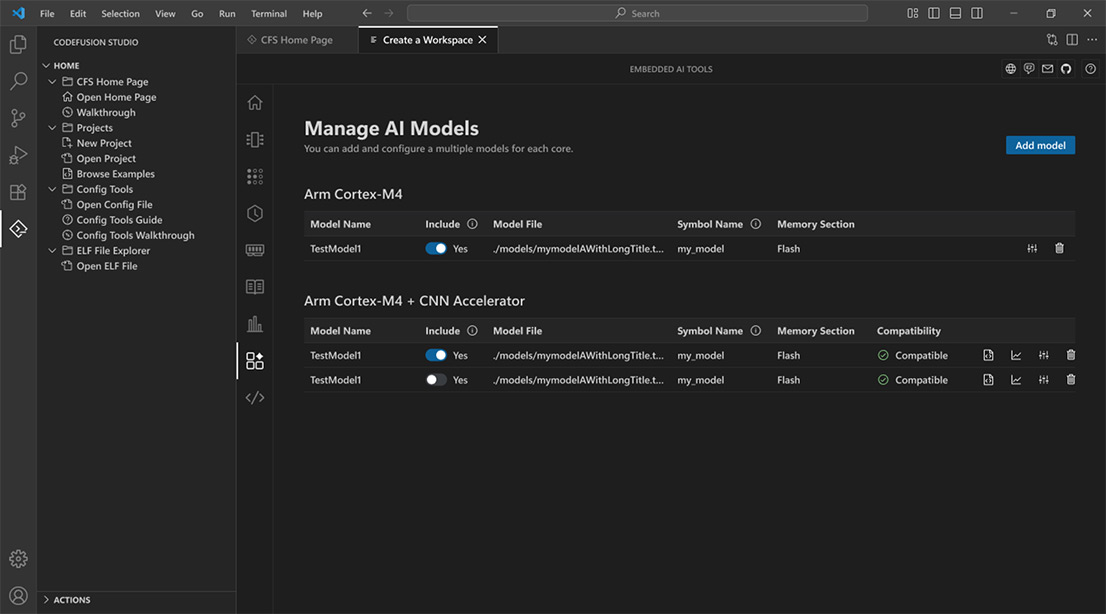
Embedded AI Tools
Manage AI models from import to deployment with built-in compatibility, profiling, and code generation tools.
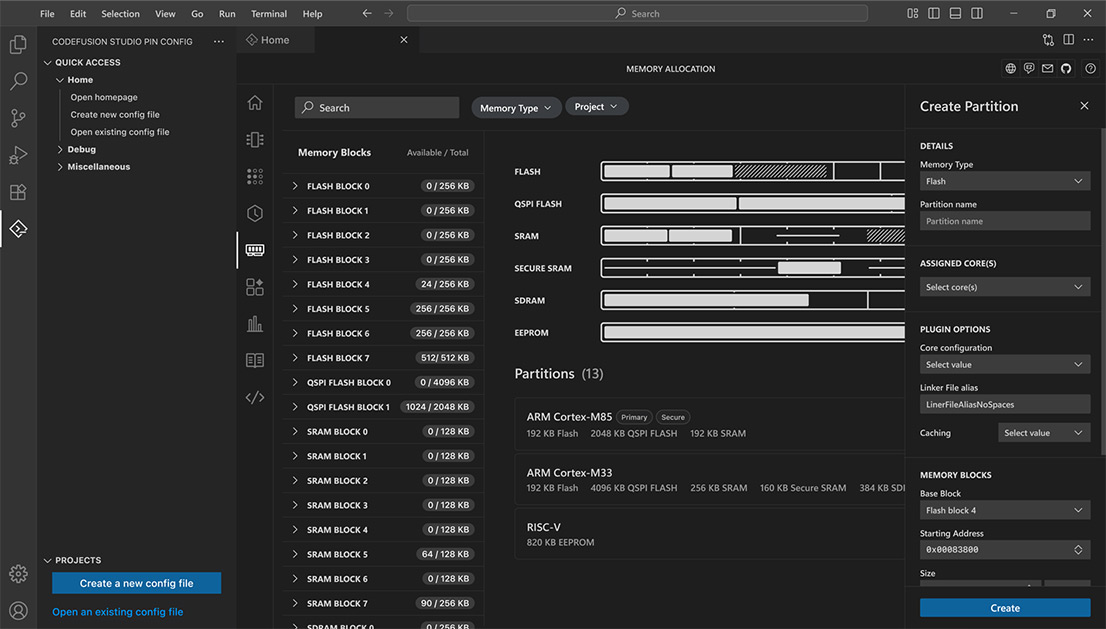
System Planner
Visually orchestrate pins, clocks, peripherals, memory, and inter-core data flows across supported SoCs all from one central dashboard.
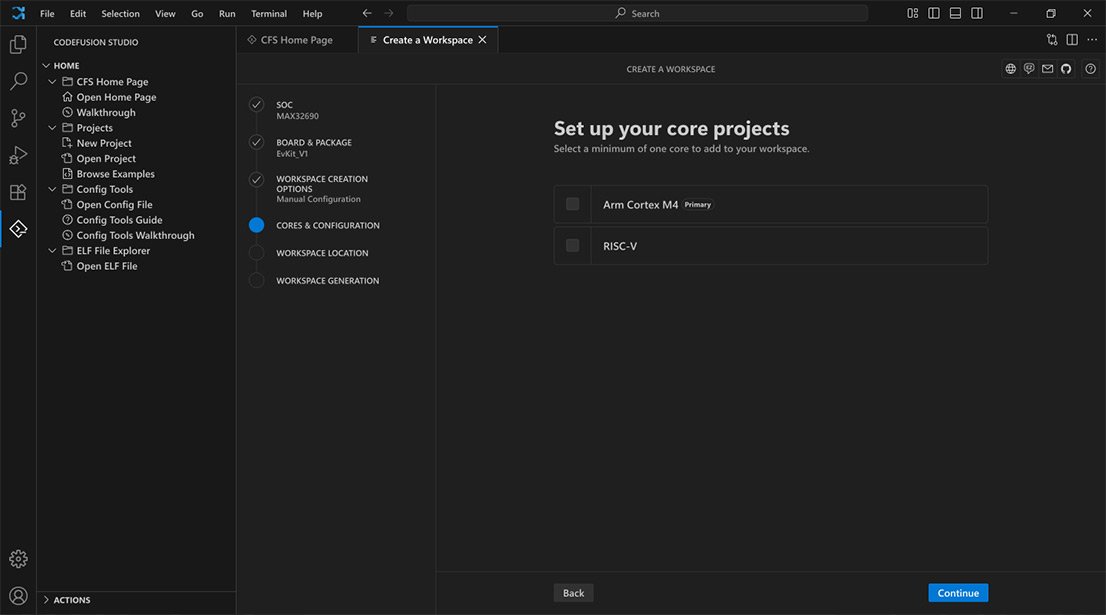
Workspace Creation Wizard
Start projects faster with a guided setup that integrates SoC selection, templates, and multi-core configuration in one flow - reducing setup time and ensuring consistency across teams.
ADI CodeFusion Studio
 Step 1:
Install Visual Studio Code, version 1.100 or later.
Step 2:
Launch VS Code, go to Extensions, and install the CodeFusion Studio extension.
Step 3:
Download and install CodeFusion Studio tools and MSDK for macOS, Windows, and Linux.
Systems Requirements
CodeFusion Studio extension is supported on the following host operating systems:
- Windows 11 (64-bit)
- macOS 15 macOS 26 (ARM64)
- Ubuntu 22.04 and 24.04 (64-bit)
Documentation & Resources
-
CodeFusion Studio Security Installation Guide11/3/2025
-
CodeFusion Studio™ User Documentation11/3/2025
-
 CodeFusion Studio: Accelerating Embedded Development3/25/2026
 -
 CodeFusion Studio™ 2.0 Streamlining Physical Intelligence in Embedded Systems2/2/2026
 -
 Introducing CodeFusion Studio™1/12/2026
 -
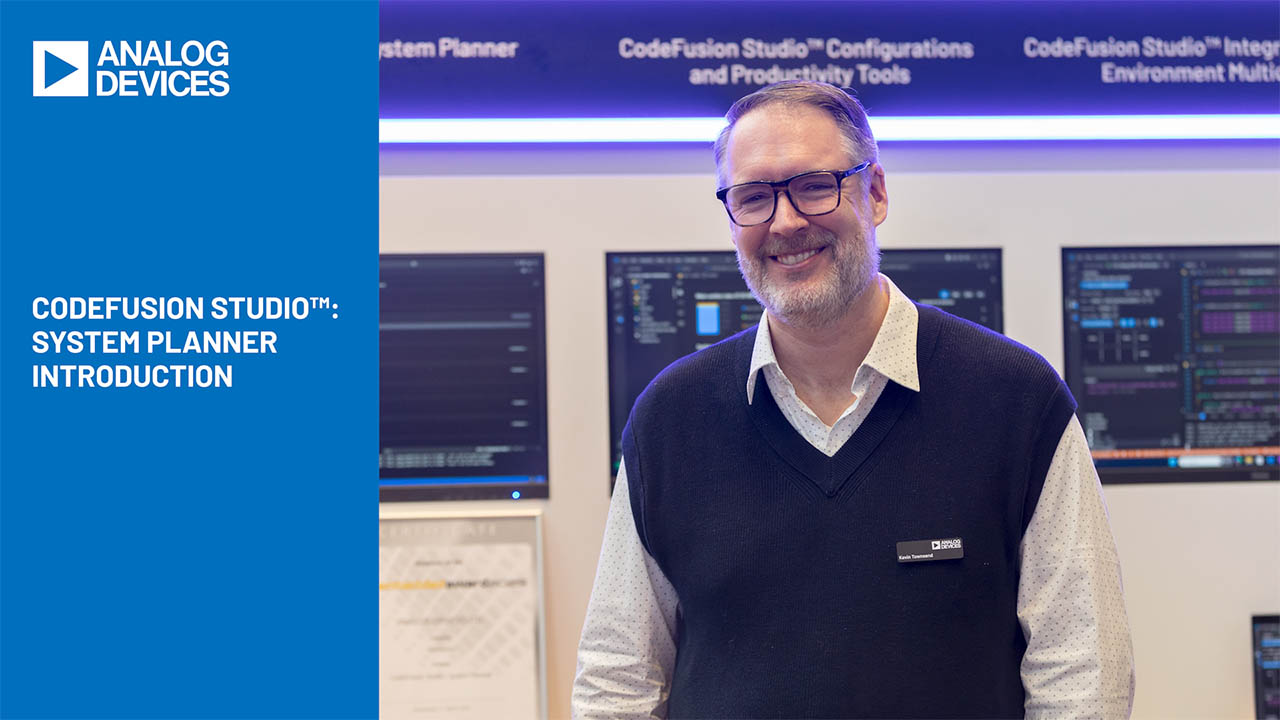 CodeFusion Studio: System Planner Introduction9/5/2025
 -
 CodeFusion Studio™ - AI Fusion: Simplifying AI Deployment for Embedded Systems7/31/2025